🛡️ Why Strong Passwords Are Not Enough in 2026 (And the 3 Layers That Actually Protect You)
On this page
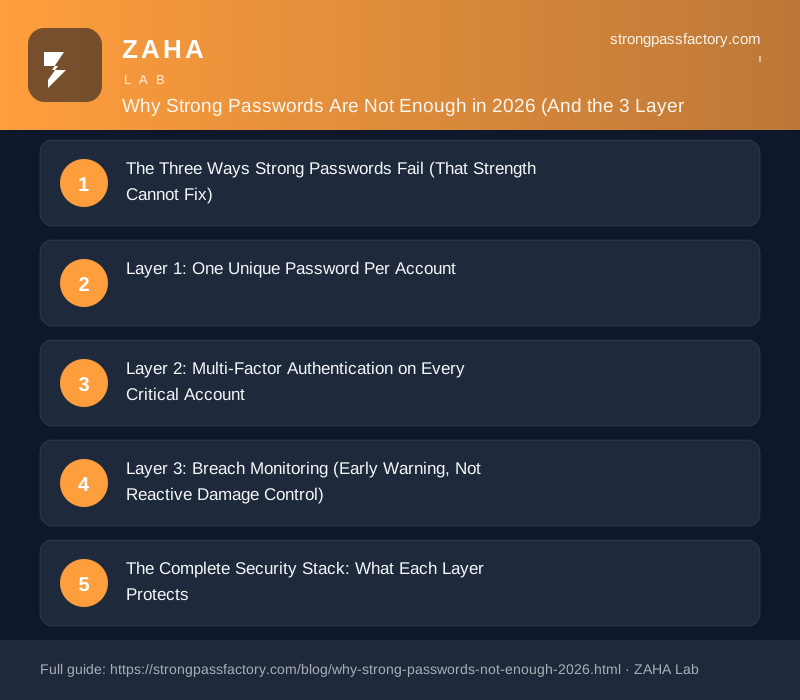
- The Three Ways Strong Passwords Fail (That Strength Cannot Fix)
- Layer 1: One Unique Password Per Account
- Layer 2: Multi-Factor Authentication on Every Critical Account
- Layer 3: Breach Monitoring (Early Warning, Not Reactive Damage Control)
- The Complete Security Stack: What Each Layer Protects
- How NordPass Covers All Three Layers in One Tool
- FAQs
Verizon’s 2025 Data Breach Investigations Report found that over 80% of hacking-related breaches involved stolen or misused credentials — and a large share of those stolen credentials met every “strong password” requirement: 12+ characters, mixed case, numbers, symbols. Strength was not the problem. The defence architecture was.
The Three Ways Strong Passwords Fail (That Strength Cannot Fix)
Definition: A strong password is a credential that resists brute-force and dictionary attacks through length and randomness — typically 16+ characters with no dictionary words. What strength does not protect against is theft via phishing, server-side breach exposure, or reuse amplification when the same credential appears across multiple sites. These are the three primary failure modes that require additional security layers beyond password strength alone.
Failure Mode 1: Phishing (Strength Provides Zero Protection)
A phishing site does not crack your password — it tricks you into handing it over. The attacker creates a convincing replica of your bank, email provider, or cloud storage login. You type your credentials. The attacker captures them in real time, often before you notice the URL was wrong.
This is why credential phishing has surpassed brute-force attacks as the dominant initial access method in enterprise breaches. IBM’s 2025 Cost of a Data Breach report identified phishing as the top attack vector, contributing to breaches that cost organisations an average of .88 million each. A 20-character password offers no advantage over a 6-character one when the attacker is simply reading what you type.
Failure Mode 2: Third-Party Breaches (You Have No Control)
Even if your own security is perfect, every site you have an account with stores a copy of your credentials on their infrastructure — and their security may not be perfect. When that company suffers a breach, your credentials enter the criminal market regardless of how strong they were on your end.
Between 2024 and 2026, major credential exposures have included Ticketmaster (560 million records), AT&T (110 million records), and an aggregated stealer log dump called “RockYou2024” containing 9.9 billion plaintext credentials. If you use the same strong password across multiple sites and one site is in that list, every account sharing that credential is now at risk — regardless of how strong the password was.
Failure Mode 3: Infostealer Malware (Captures Credentials Before Encryption)
Infostealer malware (Redline, Lumma, Vidar and their variants) operates at the application layer, not the network layer. It captures credentials as you type them — before your browser or password manager encrypts or transmits them. SpyCloud’s 2026 Annual Credential Exposure Report documented over 1.8 billion credentials harvested by infostealer campaigns, with an average dwell time of 11 months before corporate security teams detected the compromise.
A 24-character, entirely random password offers no advantage against malware running on the same device. The defence here is not password strength — it is device hygiene (up-to-date AV, no pirated software) combined with breach monitoring that flags when harvested credentials surface on criminal markets.
Layer 1: One Unique Password Per Account
The single most high-impact change in credential security is not making each password stronger — it is making each password different. Reuse amplification is the mechanism that turns a single breach into a mass compromise: one stolen credential that works on 12 accounts is worth incomparably more to an attacker than 12 stolen credentials that each work on one account.
The practical obstacle is memory. The average person manages 168 online accounts (NordPass 2026 Password Statistics). Generating, storing, and recalling 168 unique strong passwords manually is not realistic. A password manager solves this by generating and storing a unique credential for every account and auto-filling on the correct domain — which also acts as a phishing detector, since the manager will not fill credentials on a site whose URL does not match the saved entry.
NordPass generates cryptographically random passwords up to 60 characters, stores them encrypted with XChaCha20, and auto-fills only on verified domains. The free tier covers unlimited passwords and devices simultaneously — meaning the uniqueness layer costs nothing to implement today.
Layer 2: Multi-Factor Authentication on Every Critical Account
Multi-factor authentication (MFA) is the most effective single control against account takeover from stolen credentials. Even when an attacker has the correct username and password, MFA requires a second factor they do not have: a time-based one-time code, a hardware key confirmation, or a push notification to your registered device.
Microsoft’s 2025 Digital Defense Report found that accounts with MFA enabled blocked over 99.9% of automated credential-stuffing attacks. That is not a marginal improvement — it is effectively neutralising the threat for accounts where stolen credentials are the attack entry point.
| MFA Method | Protects Against Credential Stuffing | Protects Against Phishing | Strength |
|---|---|---|---|
| SMS one-time code | Yes | Partial (can be real-time relayed) | Low–Medium |
| TOTP authenticator app (Google Authenticator, Authy) | Yes | Partial (30-second window for relay) | Medium |
| Hardware security key (FIDO2/WebAuthn) | Yes | Yes (key bound to domain) | High |
| Passkey (device biometric) | Yes | Yes (platform verifies origin) | High |
| Push notification (Duo, Microsoft Authenticator) | Yes | No (susceptible to MFA fatigue) | Medium |
For most accounts, a TOTP authenticator app is the practical minimum. For your primary email address and password manager — the two accounts that unlock everything else — use a hardware security key or enable passkeys where supported. These two accounts warrant the additional friction because compromising either gives an attacker the master key to your digital identity.
Layer 3: Breach Monitoring (Early Warning, Not Reactive Damage Control)
The first two layers reduce your attack surface. Breach monitoring tells you when something has penetrated that surface anyway. The average time between credential exposure and detection is 11 months; the average time between detection and attacker exploitation is 24 hours. Monitoring compresses the detection window from months to hours — closing the gap before the damage occurs rather than after.
Passive monitoring (checking Have I Been Pwned quarterly) is better than nothing but misses the most dangerous exposure category: infostealer logs sold on private criminal forums before they appear in public breach databases. Active monitoring services ingest these private markets — the same sources that corporate security teams use — and alert you when your specific credentials appear, not just when your email shows up in a public aggregation.
NordPass Premium includes continuous Data Breach Scanner that monitors your email addresses against both public breach databases and dark-web stealer logs. It alerts when your credentials appear — specifying which password was exposed and which account it belongs to — so you can rotate the specific credential before it is exploited rather than changing everything after the fact.
The Complete Security Stack: What Each Layer Protects
| Threat | Strong Password Alone | + Unique Passwords | + MFA | + Breach Monitoring |
|---|---|---|---|---|
| Brute-force / dictionary attack | Protected | Protected | Protected | Protected |
| Credential stuffing (password reuse) | Vulnerable | Protected | Protected | Protected |
| Third-party site breach | Vulnerable | Contained (one account only) | Protected | Detected & alerted |
| Phishing | Vulnerable | Partially contained | Mostly protected | Detected & alerted |
| Infostealer malware | Vulnerable | Contained (one account only) | Protected if FIDO2 | Detected & alerted |
The table makes visible what “strong password” alone leaves unprotected. Each additional layer narrows the residual exposure; all three together produce the defence profile that makes most automated attacks economically unattractive to pursue.
How NordPass Covers All Three Layers in One Tool
NordPass addresses the complete stack rather than treating each layer as a separate product:
- Layer 1 — Uniqueness: Generates up to 60-character random passwords, stores them in an XChaCha20-encrypted vault, and auto-fills only on exact domain matches (phishing protection built in). Free tier covers all devices simultaneously.
- Layer 2 — MFA support: Enforces two-factor authentication on the vault itself (TOTP, hardware keys, biometrics). Premium plans also store TOTP codes for other sites natively, keeping your authenticator and password in one audited place.
- Layer 3 — Breach monitoring: Continuous Data Breach Scanner monitors your email addresses against public databases and private stealer logs. Password Health scans your vault for weak, reused, and old credentials and surfaces them in a prioritised list.
Start Your Three-Layer Defence Today
NordPass generates unique passwords, monitors for breaches in real time, and flags every reused credential in your vault — free to start, premium adds continuous dark-web monitoring.
Try NordPass Free →Disclosure: This post contains affiliate links. If you purchase a NordPass subscription through our links, we may earn a commission at no extra cost to you. We only recommend tools we would use ourselves. See our full affiliate disclosure.
FAQs
If strong passwords aren’t enough, do they still matter?
Yes — strong passwords remain the essential first layer and protect specifically against brute-force and dictionary attacks, which still account for a meaningful share of automated attack attempts. The point is not that password strength is irrelevant; it is that strength without uniqueness, MFA, and monitoring leaves three large attack surfaces unprotected. All four elements work together; removing any one creates a gap.
Which account should I add MFA to first?
Your primary email address. It is the recovery route for almost every other account you own — anyone who controls your email can reset your bank password, your cloud storage, your social media. Email MFA with an authenticator app (or better, a hardware key) protects the master key to your digital identity. Second priority: your password manager. Third: banking and financial accounts.
How often should I check for credential breaches?
Manually: quarterly at minimum, using Have I Been Pwned for each email address you own. Automatically: continuously, using a service like NordPass Data Breach Scanner that monitors in real time. The 11-month average detection gap in the absence of monitoring means quarterly checks still leave you exposed for weeks or months after a breach. Continuous monitoring is the only approach that closes the window before attackers can act.
Does a password manager itself become a single point of failure?
It becomes a high-value target, yes — but a well-designed password manager with zero-knowledge architecture means the provider never holds your master password or unencrypted vault. NordPass uses XChaCha20 encryption with keys derived from your master password on-device; a breach of NordPass servers would yield only encrypted blobs that require your master password to decrypt. The residual risk is securing that master password itself: make it long, unique, never reused, and protect the vault with a hardware security key as the second factor.