👨👩👧👦 Best Password Manager for Families in 2026: Shared Vaults, Breach Alerts, and What Actually Works
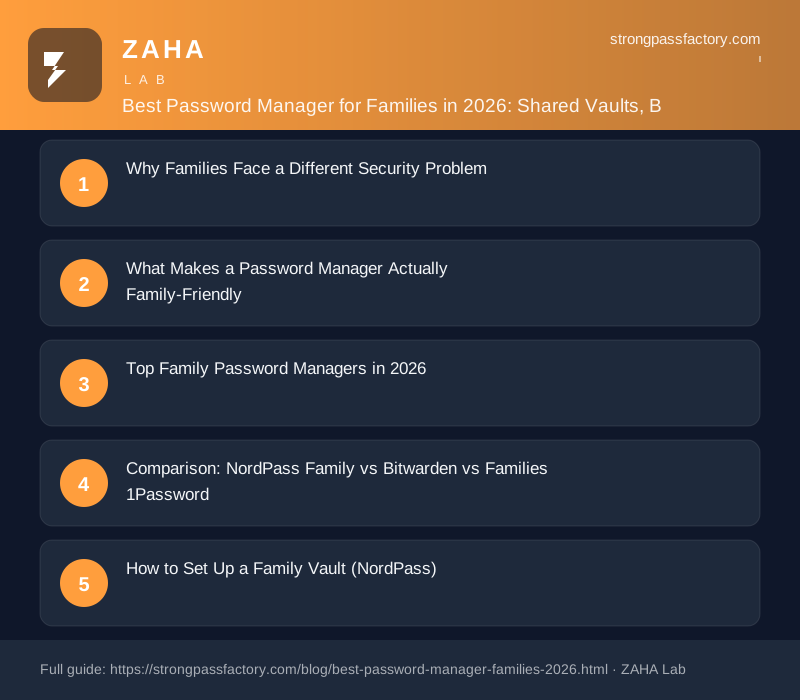
On this page
54% of families share at least one password via text message or chat app — leaving credentials in plaintext threads that persist for years after the password has been updated. The best password manager for families in 2026 is NordPass Family: six individually encrypted vaults, shared household collections, real-time breach monitoring for every member, and cross-device sync for under $4/month total.
What is a family password manager? A family password manager is a credential-storage application that provides individual encrypted vaults for each household member, shared collection folders for joint logins (Wi-Fi, streaming, school portals, banking), real-time breach alerts per member, and a single subscription covering multiple users under zero-knowledge encryption.
Why Families Face a Different Security Problem
Individual password security has a clear solution: use a password manager, enable 2FA, and use unique passwords per site. Family security is harder because it involves people with different technical comfort levels, shared accounts that multiple members need to access, and the need to hand credentials between adults and children without exposing entire vaults.
Three threats are specific to family credential setups:
- Credential stuffing via shared accounts: when one family member reuses a streaming password on a breached forum, every service sharing that password is compromised — including the joint Netflix or Disney+ account.
- Children’s account exposure: minors are disproportionately affected when parents use weak or reused passwords for school portals, gaming accounts, and educational platforms — accounts that rarely prompt password resets.
- Insecure sharing habits: the NordPass 2025 common passwords report found that shared household accounts are significantly more likely to use dictionary words as passwords, because they need to be memorised and typed by multiple people.
A family password manager solves all three: it generates unique strong passwords no one needs to memorise, enables encrypted sharing instead of text messages, and monitors every member’s accounts for breach exposure.
What Makes a Password Manager Actually Family-Friendly
| Feature | Why It Matters for Families |
|---|---|
| Individual vaults per member | Adults and teens keep separate credentials without mixing personal and shared accounts |
| Shared collection folders | Wi-Fi, streaming, utilities visible to all members without exposing personal accounts |
| Breach monitoring per member | Alerts when a child’s school account or a parent’s email appears in a breach |
| Cross-platform device sync | Families rarely use uniform devices — works across Android, iOS, Windows, and Mac |
| Simple onboarding flow | Non-technical family members need to actually use it, not just install it |
| Emergency access | A trusted adult can access another member’s vault in a medical or legal emergency |
Top Family Password Managers in 2026
1. NordPass Family — Best Overall
NordPass Family covers six users on a single plan. Key features:
- Six individually encrypted vaults for approximately $3.69/month total for the whole family
- Shared Items folders — create a household collection that all members can access, such as Wi-Fi credentials, streaming logins, and utility accounts, without exposing personal vaults
- Data Breach Scanner — monitors every member’s saved email addresses against known breach databases in real time, alerting the affected member directly
- XChaCha20-Poly1305 encryption — a newer cipher than AES-256 with better resistance to timing side-channel attacks, adopted by Google and Cloudflare for similar reasons
- Passkey storage — stores both passwords and passkeys in the same vault, so the plan covers both current and next-generation authentication
- Highest-rated consumer UI — consistently scores well in usability reviews, critical when onboarding less technical family members
The practical limitation: NordPass does not have a dedicated parental control layer or child-specific account management. Each family member holds an equivalent-privilege vault. For younger children, a parent needs to manage the child’s vault directly using their login.
The breach scanner is where NordPass Family earns its price premium. When a family member’s email address appears in a newly disclosed credential dump, NordPass sends an alert to that member automatically — no manual scanning required. For a household with multiple email addresses across multiple services, this real-time monitoring prevents the silent credential exposure that allows account takeover attacks to accumulate undetected for months.
2. Bitwarden — Best Free or Budget Option
Bitwarden’s free tier covers unlimited devices and basic vault sharing at no cost. The paid Bitwarden Families plan ($40/year for 6 users) includes shared organisation collections, encrypted file storage, health reports, and emergency access — all at a lower price than NordPass Family.
Bitwarden is fully open-source: every line of client code is publicly auditable on GitHub. This matters because it allows independent researchers to verify the zero-knowledge architecture rather than trusting a vendor’s self-reported audit. Bitwarden also supports emergency access, where a nominated trusted contact can initiate vault access after a configurable waiting period — a feature NordPass lacks and that is useful for households where one person manages the digital estate.
If budget is the deciding factor, Bitwarden Families at $40/year is the strongest value in this category.
3. 1Password Families — Best for Apple Households
1Password Families ($4.99/month for up to 5 members, $1/month per additional user) is the premium option. It has the most polished iOS and macOS integration of any password manager, a Watchtower security dashboard that flags weak, reused, or breached passwords across the vault, and a Travel Mode that hides designated vaults at border crossings — a feature unique to 1Password.
The limitation: at $59.88/year for five users it is the most expensive option, and it does not offer a meaningful free tier.
Comparison: NordPass Family vs Bitwarden vs 1Password Families
| Feature | NordPass Family | Bitwarden Families | 1Password Families |
|---|---|---|---|
| Users included | 6 | 6 | 5 (+$1/mo each) |
| Annual price | ~$44.28/yr | $40/yr | $59.88/yr |
| Zero-knowledge encryption | Yes | Yes | Yes |
| Open source | Partial | Full | No |
| Breach scanner (automatic) | Yes | Manual only | Yes (Watchtower) |
| Shared collections | Yes | Yes | Yes |
| Emergency access | No | Yes | Yes (Account Recovery) |
| Passkey storage | Yes | Yes | Yes |
How to Set Up a Family Vault (NordPass)
Setup takes under 30 minutes for most households:
- Create a NordPass account and select the Family plan at nordpass.com
- Invite family members — each receives an email invitation, creates their own master password, and gets an independent encrypted vault; the plan owner cannot see other members’ private items
- Import existing passwords — each member imports from their browser (Chrome, Safari, Firefox, Edge) or prior manager via Settings → Import Items; typically takes five minutes per person
- Create a Shared Items folder — name it “Household,” add Wi-Fi credentials, streaming logins, school portal accounts, and any jointly used services
- Enable breach monitoring — NordPass Premium automatically scans all saved email addresses; no manual action required after initial setup
- Install on all devices — browser extension on all desktops, mobile app on phones and tablets; sync is automatic
The shared folder is the step that ends the WhatsApp password-sharing habit permanently. Once household Wi-Fi and streaming credentials live in an encrypted shared collection, there is no reason to ever send a password over chat again.
Frequently Asked Questions
Can each family member have their own separate master password?
Yes. Every user in a family plan creates an independent master password and holds a separately encrypted vault. The plan owner cannot access another member’s private vault without their master password. This is the zero-knowledge model: even the provider cannot see vault contents, let alone other family members.
What happens if a child forgets their master password?
NordPass and 1Password both provide account recovery options managed by the plan owner, but neither can recover vault contents without the master password (zero-knowledge architecture). Bitwarden’s emergency access feature allows a nominated contact to initiate a timed vault recovery. Setting up recovery options for all members at onboarding — not after a lockout — is strongly recommended.
Is it safe to store banking credentials in a family password manager?
Yes. All three recommended managers use zero-knowledge encryption: credentials are encrypted on your device before syncing to the server. The provider cannot read stored passwords even under a legal request. Banking credentials in NordPass, Bitwarden, or 1Password are significantly safer than passwords reused across sites, stored in a browser, or sent over text message — all of which are routine targets for infostealer malware and credential stuffing attacks.
Is a family plan worth it compared to separate individual subscriptions?
Yes, significantly. NordPass Family covers six users for approximately $3.69/month total — far less than six individual NordPass Premium subscriptions at $1.49/month each ($8.94/month combined). Bitwarden Families at $40/year is similarly priced far below six individual Bitwarden Premium accounts at $10/year each ($60/year combined). Family plans represent the highest-value tier in nearly every password manager lineup.