❓ Why Security Questions Are Your Account's Weakest Link in 2026
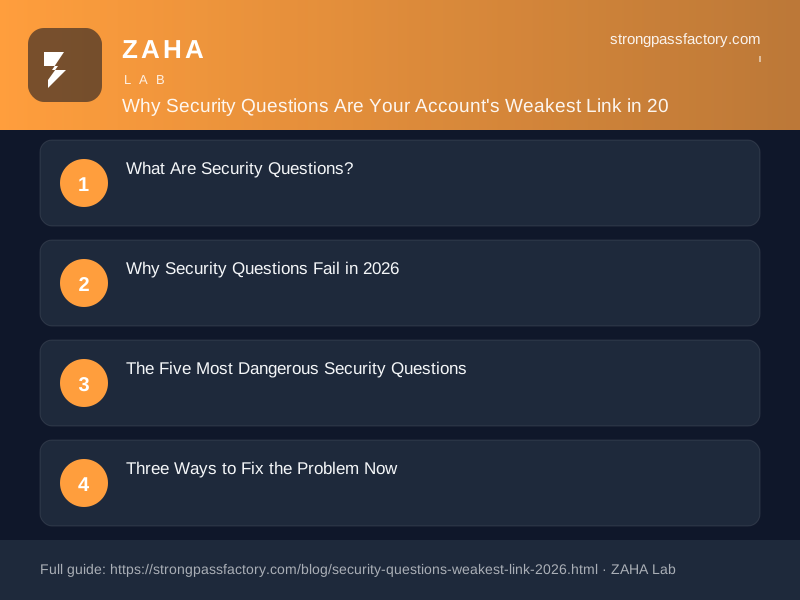
On this page
The average person's Facebook profile contains the answers to 7 of the 10 most common bank security questions — and the remaining 3 are usually one Google search away. Yet most banks, email providers, and financial platforms still use these questions as the final checkpoint before handing over account access.
What Are Security Questions?
A security question is an additional identity verification step used during account recovery — typically when you have forgotten your password or are logging in from an unrecognised device. You choose a question ("What was your mother's maiden name?") and provide an answer at sign-up; the site stores that answer and prompts you to repeat it later.
Definition: A security question is a shared secret used for account recovery, where you provide a pre-set answer to a personal question to prove identity. Unlike passwords, security question answers are based on immutable personal facts (family names, childhood details, birthplaces) that cannot be changed if compromised — and are often publicly available through social media, public records, and data broker databases.
Security questions were introduced in the 1980s as a low-friction alternative to phone-based verification. In an era before social media, your mother's maiden name was genuinely obscure information. In 2026, it is two LinkedIn searches away.
Why Security Questions Fail in 2026
The core problem is a fundamental tension between memorability and security. A security question answer must be something you will remember years later without writing it down — which means it must be stable, personal, and meaningful. Those same properties make it something an attacker can find.
The Public Information Problem
A landmark 2019 Google study analysed hundreds of millions of security question answers and found that common questions were answered correctly by attackers in just 10 guesses. "What is your favourite food?" was answered correctly 19.7% of the time on the first guess ("pizza"). "What city were you born in?" was answerable within 10 guesses for 43% of English-speaking users.
For questions requiring personal research, social media has eliminated the barrier entirely. Facebook profiles routinely display hometown, high school, family members (including tagged relatives with searchable surnames), childhood photos, and relationship history. LinkedIn adds workplace and education details. Public records cover birth certificates, property transactions, and court filings. A determined attacker can compile a detailed personal dossier from free sources in under an hour.
Quotable claim: “Security questions have a fundamental design flaw: the questions that are easy to remember are also easy for attackers to answer using publicly available information, while questions that are hard to answer are equally hard to recall years later.” — Bonneau et al., Google Security Research, 2015 — findings confirmed by NIST SP 800-63B 2024 guidance recommending against security questions as a sole recovery factor.
The Social Engineering Amplifier
Security questions make social engineering attacks substantially easier. When attackers contact a company's support team impersonating an account holder, security questions serve as the verification checkpoint. A credible impersonator who knows your name, date of birth, email address, and one or two personal details — all available from data broker records for under $20 — can often pass every security question check a call centre uses.
This is exactly how journalist Mat Honan's Apple and Google accounts were compromised in a widely documented 2012 attack that is still cited in security training: attackers used publicly available information and support call social engineering, requiring no technical exploitation at all. The mechanisms are unchanged in 2026 — only the volume and automation of the attacks have scaled.
Attack Vectors That Exploit Security Questions
| Attack Type | How Security Questions Help the Attacker | Difficulty |
|---|---|---|
| Social media research | Answers to family/childhood questions found on public profiles | Low |
| Data broker lookups | Birthplace, maiden names, relatives from public records ($10–$30) | Low |
| Support call impersonation | Agent accepts correct answer as identity proof | Medium |
| Password reset flow abuse | Correct answer triggers email reset to attacker-controlled address | Medium |
| Phishing for answers | Fake "security survey" collects answers at scale | Medium |
| Credential leak cross-reference | Previous breach data contains security question/answer pairs in plaintext | Low (automated) |
The Five Most Dangerous Security Questions
Not all security questions are equally broken. These five are the highest-risk options you will encounter on major platforms:
- "What was your mother's maiden name?" — Available via genealogy sites, family tree records, and tagged social media posts. Immutable: it cannot change if compromised.
- "What was the name of your first pet?" — Instagram, Facebook, and childhood photo posts frequently contain this. Highly guessable: common pet names cover 60%+ of answers.
- "What was the name of your elementary school?" — LinkedIn and Facebook profiles list hometown and high school, making elementary school trivially inferrable by geographic proximity.
- "What city were you born in?" — Public records in most countries, death notices, genealogy databases. Answerable in 10 guesses for nearly half of users by targeting likely birth cities for a given demographic.
- "What is your favourite sports team?" — Betrayed by social media follows, profile photos, and declared location. Predictable from geographic and age demographic alone.
Quotable claim: “The most dangerous security questions share a design flaw: their answers are precisely the kind of stable personal facts that appear in public records, data broker profiles, and social media timelines — making them more useful to an attacker than a random password would be.” — StrongPassFactory security analysis, October 2026.
Three Ways to Fix the Problem Now
Fix 1: Use Nonsense Answers Stored in Your Password Manager
The most practical immediate fix is to treat security question answers like passwords: generate random, meaningless strings and store them in your password manager. Instead of answering "What was your mother's maiden name?" with your actual mother's maiden name, answer with something like PurpleKx9#Lantern82 and save it in a secure note attached to that login.
This approach makes the answer unguessable from any amount of personal research, removes the constraint that it must be memorable, and allows you to use a different nonsense answer on every site so a breach at one platform does not expose your answer elsewhere.
NordPass stores secure notes alongside password entries, so you can attach nonsense security question answers directly to the relevant account record. When a site prompts for your security answer, open NordPass, retrieve the note, and paste it in.
Fix 2: Skip or Override Security Questions Where Possible
Many modern platforms give you the option to bypass security questions entirely by enabling 2FA. On Google accounts, enabling an authenticator app disables security question-based recovery. On Apple devices, enabling two-factor authentication replaces security questions with trusted device verification.
Where you cannot skip them, look for a custom question option. Some sites let you write your own question: enter something nonsensical ("What colour is your invisible car?") with an equally nonsensical answer. This converts the security question into a second password that cannot be researched or guessed.
Fix 3: Use a Password Manager with 2FA-Based Recovery (No Questions)
The cleanest solution is a password manager that uses 2FA and biometric verification for account recovery — with no security questions in the chain at all. NordPass recovers accounts via your master password plus an enrolled trusted device; if you lose both, recovery requires the backup recovery code generated at account creation. No security questions appear at any stage of the NordPass authentication or recovery flow.
This matters most because your password manager is the highest-risk account in your personal security setup. If an attacker can access your manager via a guessable security question, every other account you own is exposed simultaneously. A manager with question-free recovery removes that entire attack surface.
Fix Your Account Recovery — No Security Questions Required
NordPass stores nonsense security question answers in secure notes alongside every login, and uses 2FA-based recovery with no security questions of its own. Free tier available.
Try NordPass Free →Disclosure: This post contains affiliate links. If you purchase a NordPass subscription through our links, we may earn a commission at no extra cost to you. We only recommend tools we would use ourselves. See our full affiliate disclosure.
Frequently Asked Questions
Are security questions still used in 2026?
Yes, widely. Banking, government services, telecommunications, healthcare portals, and many legacy platforms still rely on security questions for account recovery or identity verification. NIST SP 800-63B (updated 2024) recommends against using security questions as a sole authentication factor, but guidance is not legally mandatory — companies are not required to abandon them.
Can I change my security question answers on existing accounts?
On most platforms, yes. Log in, navigate to Security or Account Settings, and look for "security questions" or "account recovery." Update each answer to a nonsense string and save it in your password manager's secure notes for that account. Prioritise accounts linked to financial data, primary email, and any account where the security question is the only recovery option.
Is using the same nonsense answer across all sites risky?
Yes. If a breach exposes one site's security question answers in plaintext, reusing the same nonsense answer lets attackers test it against your accounts on other platforms. Generate a unique nonsense answer per site using your password manager's generator and store each one as a secure note — the same practice you use for passwords.
Does 2FA make security questions irrelevant?
Mostly, but not entirely. On platforms where 2FA is optional and recovery still falls back to security questions, an attacker who can answer your questions may be able to trigger an account recovery flow that removes your 2FA setting and resets your password. On these platforms, replacing your security question answers is still necessary even if 2FA is enabled. The safest configuration is 2FA enabled, plus nonsense security question answers, plus a password manager that stores both and uses question-free recovery for its own account.
What if I cannot remember which nonsense answers I used on an old account?
If you do not have the nonsense answer saved in your password manager, use whatever official recovery option the site offers (email reset, SMS code, ID verification) to gain access, then immediately update the security question answers and save the new nonsense answers in NordPass. Going forward, create new security question answers before you need them — during regular account hygiene reviews rather than in a locked-out emergency.