🛒 Holiday Shopping Password Security 2026: How Hackers Target Your Accounts in Q4
On this page
Phishing attacks spike 70% in November and December — and fake delivery scams alone drove $2.3 billion in reported fraud losses during Q4 2025. If your Amazon, PayPal, or eBay accounts share a password with your email, a single credential stuffing campaign gives attackers access to saved payment cards, shipping addresses, and the recovery email they need to lock you out permanently.
Why Q4 Is the Busiest Season for Account Takeovers
Definition: Holiday shopping password security is the practice of auditing and strengthening credentials for every e-commerce, payment, and delivery account before the Q4 shopping window (October through January) — the period when phishing volumes, credential stuffing campaigns, and account takeover incidents reach their annual peak. The goal is to ensure that attackers who acquire credentials from a data breach cannot use them to access accounts with saved payment methods.
Attackers follow the money. During Q4, consumers spend more, receive more package notifications, create more accounts, and pay less attention to security signals than at any other time of year. The combination creates predictable attack windows that criminal organisations plan for months in advance:
| Attack Window | Primary Tactic | Volume Increase vs. Q3 |
|---|---|---|
| Late October – early November | Pre-season account harvesting (credential stuffing older breaches) | +41% |
| Black Friday / Cyber Monday | Fake retailer phishing, gift card fraud | +70% |
| December 1–15 | Delivery notification smishing (“your order has shipped” texts) | +180% |
| December 16–31 | Gift card skimming, account takeover for gift returns | +90% |
| January | Post-holiday breach exploitation (using accounts gained in Q4) | +55% vs. Feb–Oct average |
“We consistently see our largest credential stuffing volumes in the six weeks surrounding Black Friday,” noted a 2026 threat report from Akamai Technologies. “Retailers with reused-credential exposure see account takeover attempts increase by an average of 2.4× during that window compared to the rest of the year.”
The reason credential stuffing works so well in Q4: consumers create temporary accounts for holiday purchases and forget them. Those accounts often reuse a password from a primary account and are never monitored for suspicious activity. Attackers acquire credential lists from older breaches, test them systematically, and find active sessions months or years after the original leak.
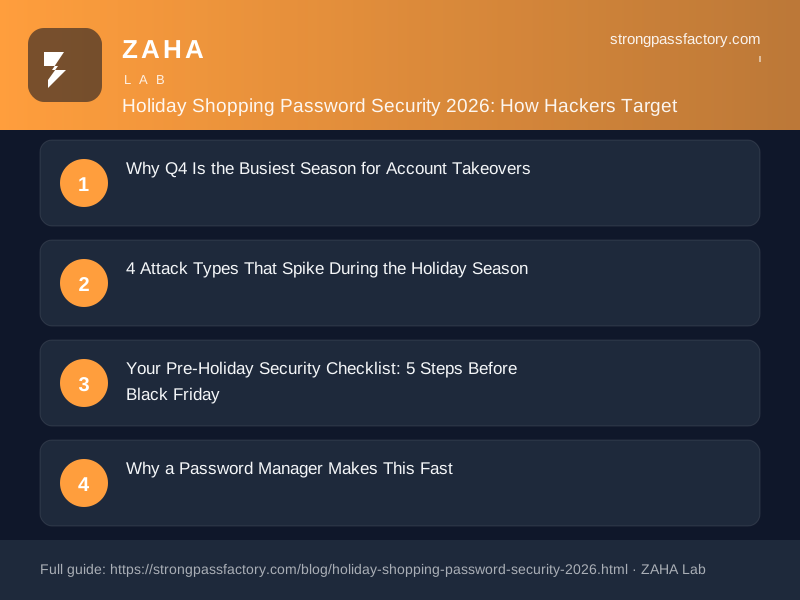
4 Attack Types That Spike During the Holiday Season
1. Fake Delivery Phishing (“Your Package Is Delayed”)
Fake delivery notifications are the dominant Q4 social engineering vector. Attackers send texts or emails impersonating Royal Mail, UPS, DHL, and Amazon Logistics with messages like “Your parcel could not be delivered — confirm your address” or “A customs fee of £2.40 is required before your delivery.” The link leads to a convincing replica of the legitimate carrier site that collects your name, address, and payment card details.
The defence is simple but requires preparation: track packages directly through the retailer’s site using a bookmarked URL — never through a link in an unsolicited message. Your password manager’s autofill will also refuse to populate credentials on a domain that doesn’t exactly match your saved entry, giving you a warning signal before you enter anything.
2. Credential Stuffing Against Retailer Accounts
Credential stuffing is automated: attackers take millions of username/password pairs from previous data breaches and test them against retailer login pages in bulk. Accounts with reused passwords exposed in any prior breach are systematically found and compromised.
The only reliable defence is credential uniqueness. A password reused from a 2022 LinkedIn breach cannot be stuffed into your Amazon account if your Amazon password is a randomly generated 20-character string with no connection to anything else you’ve used. Password managers make this achievable across 100+ accounts without any memorisation.
3. Gift Card Balance Theft
Gift cards are a popular Q4 purchase — and a popular attack target. Once attackers gain access to a retail account, they check for stored gift card balances, loyalty points, and saved credit. Amazon accounts with gift card balances are drained within minutes of compromise, converted to harder-to-trace purchases before the legitimate owner notices. Accounts with purchase history also qualify for “returnless refunds” at many retailers, which attackers exploit before the Q4 return window closes.
4. Account Takeover for Fraudulent Returns
Retailers liberalise return policies during the holiday season. Attackers who gain access to established accounts time the exploitation for the return window — ordering high-value items for fraudulent returns or claiming lost packages on orders already delivered. The attack is complete before the account owner realises anything is wrong, and by the time the owner raises a dispute, the return window has closed or the account has been flagged by the retailer.
Your Pre-Holiday Security Checklist: 5 Steps Before Black Friday
Run this checklist now, before Q4 attack volumes peak:
Step 1: Give Every Retailer Account a Unique Password
Identify every e-commerce account where you have a saved payment method: Amazon, eBay, ASOS, Etsy, Apple Store, Google Play, Steam, PlayStation Store, any subscription service that bills automatically. Each one needs a password that exists nowhere else — not a variation of your main password, not the same password with a different symbol at the end.
Use a password manager’s built-in generator set to at least 16 characters with mixed case, numbers, and symbols. You never need to remember it; the manager handles autofill. NordPass generates 60-character random strings by default and fills them automatically every time you return to the site.
Step 2: Enable 2FA on Payment-Connected Accounts
Every account with a saved payment method or significant purchase history should have 2FA enabled. Priority order: PayPal, Amazon, your bank and credit card portals, any platform where you’ve made purchases in the past 12 months. Use an authenticator app (Google Authenticator, Authy, or the TOTP generator built into NordPass Premium) rather than SMS — SMS 2FA is better than nothing but is vulnerable to SIM-swapping attacks that also peak during Q4.
Step 3: Run a Breach Check on Your Shopping Email Addresses
Go to haveibeenpwned.com and check every email address you use for online shopping. If any returns a breach match, rotate the password on that email account immediately — then identify every retailer account registered to that email and rotate those passwords too. A breach exposed your email as a login identifier; the damage compounds if any of those accounts share the breached password.
Step 4: Remove Saved Cards from Dormant Accounts
Most people have saved payment cards on more accounts than they actively use. An account you haven’t logged into in 18 months with a saved card is a liability: it probably isn’t monitored, probably uses an old password, and probably doesn’t have 2FA enabled. Log in to any dormant accounts with saved payment methods and either remove the card details or delete the account entirely. Retailers don’t delete your data automatically when you stop shopping.
Step 5: Bookmark Your Carriers and Retailers Now
The primary delivery phishing defence is navigation hygiene. Bookmark Royal Mail, UPS, DHL, FedEx, and your primary retailers now, before delivery notifications start arriving. When a message arrives about a package, go to the bookmark — not the link in the message. This single habit neutralises the majority of Q4 phishing attempts because they depend entirely on you trusting the link rather than navigating independently.
Why a Password Manager Makes This Fast
Running the five steps above manually against 50+ accounts is a two-hour project. With a password manager, it compresses to under 30 minutes: import your existing browser-saved passwords, open the Password Health view, generate unique replacements for every flagged credential, and save. The manager handles autofill on every subsequent login automatically.
NordPass includes a Password Health dashboard that categorises every saved credential as weak, reused, or old — with the specific account name shown for each finding. The Data Breach Scanner monitors your saved email addresses against breach databases continuously, not just on demand. During Q4, when new credential lists surface frequently after November sale breaches, continuous monitoring is substantially more valuable than an annual manual check.
| Security Action | Time Required | Accounts Protected |
|---|---|---|
| Unique password per retailer (via PM generator) | 1–2 minutes per account | All retailer accounts |
| Enable 2FA on PayPal + Amazon + email | 10 minutes total | Highest-risk payment accounts |
| Breach check via HIBP | 5 minutes | All accounts linked to checked email |
| Remove saved cards from dormant accounts | 15–20 minutes | Accounts with unmonitored payment data |
| Bookmark key retailers and carriers | 5 minutes | All future delivery notifications |
Secure Your Shopping Accounts Before Black Friday
NordPass identifies every reused and weak password across your retailer accounts in a single scan — and generates unique replacements instantly. Protects saved payment methods before Q4 attack volumes peak.
Try NordPass Free →Disclosure: This post contains affiliate links. If you purchase a NordPass subscription through our links, we may earn a commission at no extra cost to you. We only recommend tools we would use ourselves. See our full affiliate disclosure.
FAQs
Why do credential stuffing attacks peak during the holiday season?
Q4 creates a convergence of factors that makes credential stuffing more productive: consumers create more accounts, store more payment methods, and pay less attention to security signals. Attackers also time campaigns to exploit recently acquired credential lists from Q3 breaches — lists tested systematically against retailer and payment platform logins during the period when those accounts are most active and carry the most stored value.
Is it safe to save payment cards on retailer websites?
Saved cards on retailer sites are higher-risk than browser-stored or manager-stored cards: a retailer breach exposes both your credentials and your stored card details simultaneously. The safer approach is to save cards only in your bank’s own portal or a dedicated manager with zero-knowledge encryption, and remove stored cards from any retailer you haven’t used in the past six months. Most major retailers also support one-click checkout via PayPal or Apple Pay, which keeps your card details off the retailer’s servers entirely.
What’s the single most impactful security change I can make before Black Friday?
Give your primary email account a unique password and enable 2FA on it — then do the same for PayPal or whatever payment processor you use most. Your email is the recovery route for every shopping account you own. If an attacker gains access to your email during the holiday season, they can reset every retailer password and drain every saved payment method before you notice. Securing the email account first breaks the entire attack chain.
How do I recognise a fake delivery phishing message?
Legitimate delivery notifications from Royal Mail, UPS, and DHL never ask you to click a link to confirm your address or pay a customs fee through a page that requires entering card details. Carriers send tracking numbers, not payment requests. Check the sender domain carefully — royalmail-delivery.net is not Royal Mail. When in doubt, go directly to the carrier’s site via a bookmark or search, not via the link in the message. If you have a password manager installed, it will also refuse to autofill credentials on a phishing domain that doesn’t exactly match your saved entry, which functions as a built-in phishing warning.