🛡️ Account Takeover Attacks in 2026: How They Work and 8 Ways to Stop Them
On this page
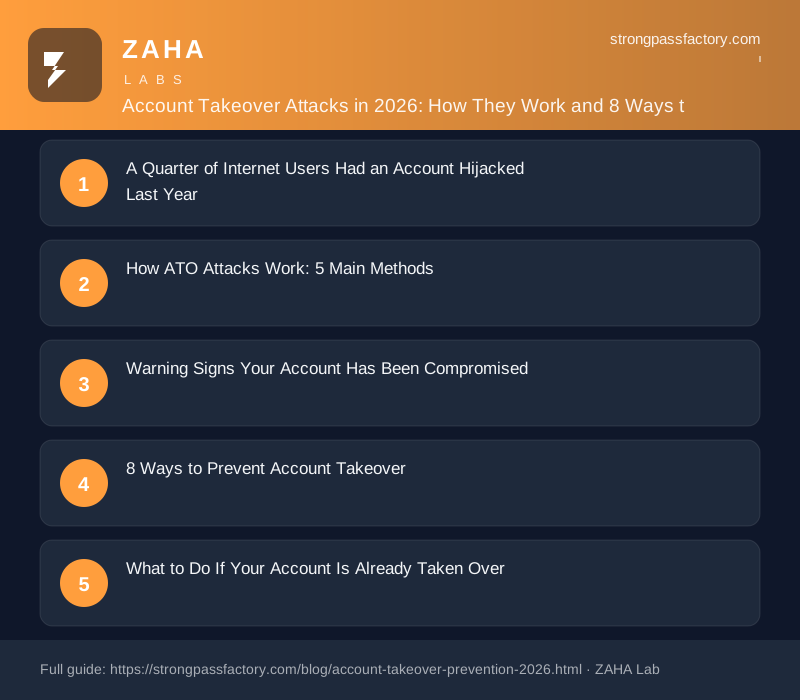
A Quarter of Internet Users Had an Account Hijacked Last Year
Sift's 2025 Digital Trust & Safety Index found that 29% of internet users had at least one account taken over in the prior 12 months. If that number sounds high, here's the uncomfortable reality: most victims didn't know their account was compromised for days — sometimes weeks. This guide explains exactly how account takeover (ATO) attacks happen and gives you eight practical steps to shut them down before attackers get a foothold.
Account takeover (ATO): An account takeover attack is a form of identity theft where a cybercriminal gains unauthorised access to an online account — email, bank, social media, or any authenticated service — by obtaining or bypassing the victim's login credentials. Once inside, attackers can drain funds, steal data, lock the real owner out, or use the account as a launchpad for further fraud.
How ATO Attacks Work: 5 Main Methods
Understanding the attack surface is the first step to defending it. Attackers rarely "hack" in the Hollywood sense — they exploit shortcuts, reused credentials, and misplaced trust.
1. Credential Stuffing
When a data breach exposes millions of username/password pairs, attackers feed them into automated bots that try every combination across thousands of sites. This works because 65% of people reuse passwords across multiple accounts (Google/Harris Poll, 2023). One breached database becomes a master key.
Quotable claim (Verizon DBIR 2025): "Over 80% of hacking-related breaches involve stolen, weak, or default credentials."
2. Phishing and Spear Phishing
A convincing fake login page — often reaching you via email, SMS, or social media — tricks you into handing over your password directly. Spear phishing targets specific individuals using personal details scraped from LinkedIn or social media, making the lure far more believable.
3. SIM Swapping
Attackers contact your mobile carrier, impersonate you using publicly available personal data, and convince the carrier to transfer your phone number to a SIM they control. Once they own your number, any SMS-based 2FA code goes straight to them. SIM swap fraud cost US consumers over $68 million in 2021 (FBI IC3 report) — and the figure has climbed every year since.
4. Session Hijacking
After you log in, websites store a session token in your browser to keep you authenticated. Attackers who can steal that token — via malware, a compromised network, or cross-site scripting — can impersonate your active session without ever knowing your password.
5. Man-in-the-Middle (MitM) Attacks
On unencrypted or poorly configured networks (think hotel Wi-Fi), an attacker positioned between your device and the server can intercept login requests and harvest credentials in real time. Always look for HTTPS before logging in to anything sensitive.
Warning Signs Your Account Has Been Compromised
Catch an ATO early and the damage is usually contained. Watch for:
- Unexpected password reset emails you didn't request
- Login alerts from unfamiliar locations or devices — most services email or SMS these
- Contacts saying they received strange messages from you
- Account activity you don't recognise — purchases, posts, forwarding rules in email
- Suddenly being logged out of a service for no reason
- Recovery email or phone number changed without your action
If you spot any of these, treat the account as compromised immediately.
8 Ways to Prevent Account Takeover
1. Use a Unique Password for Every Account
This is the single biggest lever. If you reuse passwords, one breach exposes every account you own. The challenge is that unique, strong passwords are hard to remember — which is exactly why most people reuse them.
Practical fix: Use a password manager like NordPass to generate and store a unique, random password for every account. NordPass uses XChaCha20 encryption and a zero-knowledge architecture, meaning not even NordPass can read your vault. You remember one strong master password; NordPass handles the rest.
2. Enable 2FA — But Not SMS If You Can Avoid It
Two-factor authentication stops the majority of automated ATO attacks. Even if an attacker has your password, they can't get in without the second factor.
| 2FA Method | Strength | SIM Swap Risk |
|---|---|---|
| SMS one-time code | Low–Medium | Yes |
| Authenticator app (TOTP) | High | No |
| Hardware security key | Very High | No |
| Passkey (device biometric) | Very High | No |
Opt for an authenticator app (Google Authenticator, Authy, or NordPass's built-in TOTP) over SMS wherever possible. For high-value accounts, a YubiKey is worth the investment.
3. Check If Your Credentials Are Exposed
Visit haveibeenpwned.com to see if any of your email addresses appear in known data breaches. Change passwords immediately for any matches. NordPass also runs continuous dark web monitoring and alerts you if your credentials surface in newly discovered breach databases.
4. Review Active Sessions Regularly
Most platforms (Google, Facebook, Apple ID) let you see every device currently logged in. Audit these quarterly — or any time you suspect unusual activity. Terminate sessions you don't recognise.
5. Lock Down Your Account Recovery Options
Your recovery email and phone number are the backdoor to every account. Keep them:
- Tied to accounts you actively monitor
- Protected with 2FA themselves
- Up to date — a recovery email you abandoned years ago is an open door for attackers
6. Use a Temporary Email for Low-Trust Sign-Ups
Newsletter sign-ups, free trials, and one-off purchases don't need your real email address. A disposable address (or a NordPass masked email alias) reduces your breach exposure surface.
7. Watch Your Credit Reports and Bank Alerts
ATO often ends in financial fraud. Set up real-time transaction alerts on your bank and credit cards. In the US, you can freeze your credit for free at all three bureaux (Equifax, Experian, TransUnion) — this prevents new credit accounts being opened in your name even if an attacker has your SSN.
8. Keep Your Devices and Software Updated
Session hijacking via malware and keyloggers depends on vulnerabilities in outdated software. Enable automatic updates for your OS, browser, and apps. Run reputable antivirus software and be sceptical of any executable you didn't explicitly seek out.
What to Do If Your Account Is Already Taken Over
Act within minutes — speed matters.
- Try to regain access using your recovery email or phone immediately
- Contact the platform's support and provide identity verification (government ID if required)
- Change the password the moment you regain access and log out all other sessions
- Enable stronger 2FA before the attacker can lock you out again
- Check for forwarding rules in email accounts — attackers often set these to continue receiving your messages silently
- Notify your contacts if the account was used to send phishing messages to them
- File a report with the FBI's IC3 (ic3.gov) if financial fraud occurred, and contact your bank
Frequently Asked Questions
What is an account takeover attack? An account takeover (ATO) is when a cybercriminal gains unauthorised access to someone's online account — email, bank, social media, or other — by stealing, guessing, or bypassing their login credentials. Once inside, the attacker can commit fraud, steal data, or lock the real owner out.
How do I know if my account has been taken over? Common signs include login alerts from unfamiliar locations, password reset emails you didn't request, unrecognised account activity, contacts receiving strange messages from you, or suddenly being logged out of a service. Check your account's active sessions list if you suspect a breach.
Does two-factor authentication prevent account takeover? 2FA stops the vast majority of automated ATO attacks. However, SMS-based 2FA can still be bypassed via SIM swapping. For strong protection, use an authenticator app, hardware security key, or passkey instead.
What is credential stuffing? Credential stuffing is an automated attack where stolen username/password pairs from one data breach are tested against other websites. It works because many people reuse passwords. Using a unique password for every account (via a password manager) completely neutralises this attack vector.
Is a password manager safe to use for ATO prevention? Yes — a reputable password manager is one of the most effective ATO prevention tools available. It generates and stores unique, random passwords so you never reuse credentials, and many (like NordPass) include dark web monitoring to alert you when your data surfaces in a breach.
The Bottom Line
Account takeover attacks are surgical, fast, and often financially devastating. The attackers don't need to be sophisticated — they just need you to reuse a password, click the wrong link, or miss an update. The eight steps above eliminate the most common attack vectors and dramatically reduce your exposure.
Start today: enable 2FA on your email and financial accounts, check haveibeenpwned for exposed credentials, and get a password manager so every account has its own unique, random password. NordPass covers all three pillars — password vault, TOTP 2FA, and dark web alerts — in a single subscription.
Your accounts are worth protecting. The tools to do it are free or close to it — the only cost is setting them up.