🔒 What Happens If Your Password Manager Gets Hacked? (2026 Reality Check)
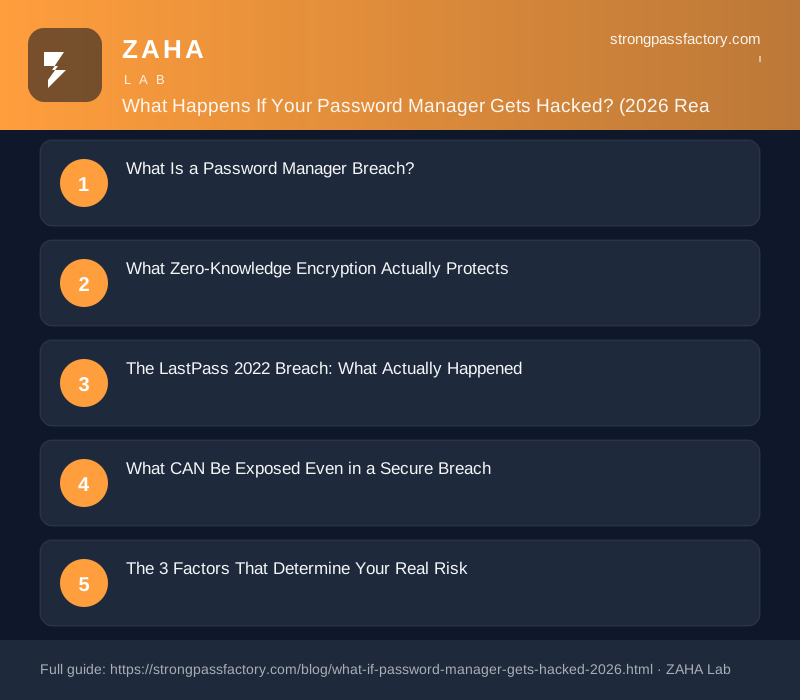
On this page
In December 2022, LastPass confirmed that attackers had stolen encrypted password vaults belonging to millions of users. Two years later, not a single one of those vaults has been publicly cracked — yet dozens of people with weak master passwords did lose cryptocurrency wallets to targeted attacks. The line between “vaults stolen” and “passwords exposed” is your master password, and understanding exactly where that line sits changes how you should think about password manager security.
What Is a Password Manager Breach?
A password manager breach is a security incident in which an unauthorized party gains access to the infrastructure or data stores of a password management service. Unlike a typical website breach where plaintext credentials or poorly hashed passwords may be exposed, a properly architected zero-knowledge password manager stores user vaults in encrypted form that the provider itself cannot read. The attacker steals ciphertext — meaningless bytes — rather than usable passwords.
NIST SP 800-63B (U.S. digital identity standard): “Memorized secrets shall be hashed using an approved one-way key-derivation function with a work factor sufficient to make brute-force attacks impractical.” LastPass used PBKDF2-SHA256 at 100,100 iterations for accounts that had updated their settings — a configuration no cracking cluster has publicly broken.
What Zero-Knowledge Encryption Actually Protects
Zero-knowledge encryption means the password manager derives your vault-encryption key entirely from your master password on your device — the server never receives the key or the plaintext. When you type your master password, the client runs it through a key-derivation function (KDF) such as PBKDF2, Argon2, or bcrypt to produce an encryption key. That key decrypts your vault locally. The server only ever stores a further-derived authentication hash, not the encryption key itself.
In practice, an attacker who steals your encrypted vault faces a mathematical wall: they must run billions of guesses per second through the same KDF, produce a candidate key, attempt decryption, and check whether the result is valid JSON — all without the server’s help. For a master password that is 16+ characters, random, and not found in any breach database, this process would take longer than the age of the universe on current hardware.
The leading zero-knowledge managers — NordPass, 1Password, and Bitwarden — all implement this architecture. None can hand over your plaintext passwords even under a court order, because they genuinely do not have them.
The LastPass 2022 Breach: What Actually Happened
The December 2022 LastPass disclosure is the most-studied real-world example of a vault theft at scale. Here is what the company confirmed:
- Stolen (encrypted): Vault data including usernames, passwords, secure notes, and form fills — all encrypted with AES-256 using a key derived from the user’s master password.
- Stolen (unencrypted): Website URLs stored alongside each vault entry, user email addresses, billing names, phone numbers, some IP addresses, and company names on business accounts.
- Not stolen: Master passwords (never stored by LastPass), two-factor authentication seeds, or authentication tokens.
The outcome two years later: no evidence of mass cracking. Targeted attacks did occur — primarily against accounts holding cryptocurrency, where the attacker could verify a successful crack by checking on-chain balances. The confirmed compromises shared a common thread: a weak master password (short, dictionary-based, or previously leaked in another breach) or an account still using the legacy default of 5,000 PBKDF2 iterations rather than the recommended 100,100+.
What CAN Be Exposed Even in a Secure Breach
Zero-knowledge architecture protects your passwords. It does not protect everything. In a breach like LastPass 2022, the following were exposed in plaintext:
| Data Type | Protected by Encryption? | Risk if Exposed |
|---|---|---|
| Stored passwords and usernames | Yes — encrypted in vault | Safe if master password is strong |
| Website URLs (entry metadata) | Often no | Reveals which services you use; enables targeted phishing |
| Your account email address | No (account metadata) | Phishing, spam, social engineering |
| Billing name and address | No (billing system data) | Identity material for social engineering |
| IP addresses and device info | No (server logs) | Location inference and account correlation |
This is why a breach notification from a password manager should still prompt action even if your vault itself is safe. Exposed URLs and email addresses are exactly the raw material an attacker needs to send convincing targeted phishing emails that appear to come from your bank, health insurer, or employer.
The 3 Factors That Determine Your Real Risk
After a breach, your actual exposure comes down to three things:
- Master password strength. This is the dominant factor. A 16-character random master password gives an attacker roughly 1026 possible combinations to test through the KDF. At one billion guesses per second — an optimistic figure for PBKDF2 on high-end hardware — exhaustive cracking would take over 3 billion years. A six-word random passphrase is similarly out of reach. A common word combined with a birth year is not.
- KDF iteration count. The higher the iteration count, the slower each guess attempt becomes. LastPass users whose accounts were set to the recommended 100,100 iterations had far stronger protection than older accounts still at the legacy 5,000-iteration default. NordPass uses Argon2, which is memory-hard and dramatically more resistant to GPU-accelerated cracking than PBKDF2 at any iteration count.
- Whether your master password appears in existing breach databases. A master password that matches anything in Have I Been Pwned’s password corpus can be found instantly via lookup tables. If your master password was ever used on another site that suffered a breach, an attacker does not need to crack your vault — they simply try known passwords against it until one works.
Why Architecture Matters: NordPass vs Older Managers
Not all zero-knowledge implementations are equal, and the differences become critical the moment a vault is stolen. NordPass uses XChaCha20-Poly1305 for vault encryption — a modern authenticated cipher developed by the same researchers behind the ChaCha20 stream used in TLS 1.3 — combined with Argon2id for key derivation. Argon2 won the 2015 Password Hashing Competition specifically because it defeats GPU-accelerated cracking by requiring large amounts of memory per guess; GPU farms that test billions of PBKDF2 guesses per second are throttled to thousands per second against Argon2. NordPass also encrypts item metadata including website URLs within the vault, closing the plaintext-URL gap that made the LastPass breach more damaging than the encryption itself necessitated. An independent security audit by Cure53 found no critical vulnerabilities in the NordPass architecture.
Affiliate disclosure: links to NordPass in this post are affiliate links. If you purchase through them, we earn a small commission at no extra cost to you. We only recommend tools we consider best-in-class. See our full affiliate disclosure.
What to Do Right Now
Whether or not a breach has been announced for your manager, these four steps close the biggest exposure windows:
- Check your master password against Have I Been Pwned’s password search. If it appears in any breach corpus, change it immediately to a new 16+ character passphrase or random string you have never used anywhere else.
- Enable two-factor authentication on your password manager account. Even if an attacker somehow guesses your master password, 2FA prevents them from logging into your account to pull a fresh vault copy.
- Check your manager’s KDF iteration count or algorithm. If you use LastPass or another PBKDF2-based manager with a low iteration count, verify your settings are at the current recommendation and consider migrating to a manager using Argon2.
- Watch for targeted phishing after any breach disclosure. Your email address and the websites you use are likely exposed in plaintext. Be especially skeptical of security-themed emails or login prompts in the weeks after a breach announcement — that is exactly when attackers send fake “urgent password reset” messages.
FAQs
Should I stop using a password manager if it has been hacked?
No. The alternatives — weak passwords, reused passwords, or passwords stored in a spreadsheet — are dramatically less secure. A breached zero-knowledge manager still protects your passwords better than any other common option. Evaluate the specific breach: if the manager used strong encryption and your master password is long and unique, your vault is effectively safe even in an attacker’s hands.
How long would it take to crack a strong master password after a breach?
For a 16-character random password run through Argon2 or high-iteration PBKDF2, exhaustive cracking would take longer than the observable universe has existed, on the fastest currently available hardware. The realistic targets for attackers are master passwords under 10 characters, dictionary words with predictable substitutions, or passwords that have appeared in prior data breaches.
Are all password managers equally safe if hacked?
No. The key differences are the encryption algorithm, the key-derivation function and its work factor, and whether metadata such as website URLs are also encrypted inside the vault. Managers using Argon2 (such as NordPass and Bitwarden) are significantly harder to crack than those using PBKDF2 at low iteration counts. URL encryption is also a meaningful differentiator after the LastPass breach showed how much information plaintext metadata reveals about a user even when passwords stay protected.
What should I do immediately if my password manager announces a breach?
Act on four things right away: change your master password to something long and unique that has never been used anywhere else; verify that two-factor authentication is active on your manager account; change passwords for your highest-value accounts (email, banking, work) as a precaution; and stay alert for phishing attempts that use your email address and the sites you have stored. Do not panic — if your master password was strong and unique, your vault data is almost certainly still safe.


