Are Password Generators Safe? What Small Businesses Need to Know
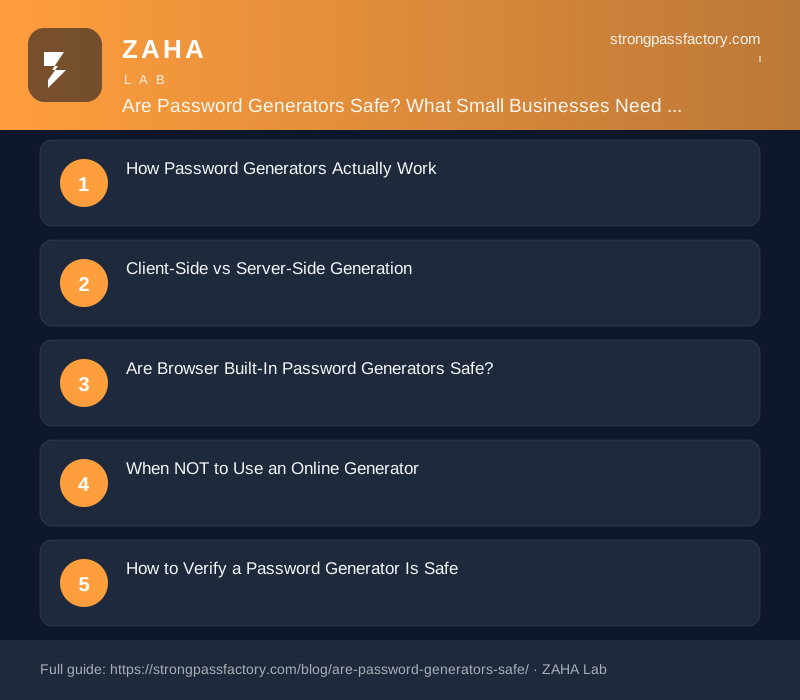
If you run a small business, you've probably used an online password generator at some point. Maybe you needed a strong admin password for a new SaaS tool, or you're helping an employee reset their credentials securely. The question that always comes up: are these generators safe to use?
The short answer: yes, if the generator does its work entirely in your browser. The long answer involves understanding where your password is actually created, who might be watching, and when you should be cautious.
How Password Generators Actually Work
Every password generator does the same thing at its core: it produces a random string of characters. But how that randomness is created makes all the difference.
Safe generators use crypto.getRandomValues(), a cryptographic function built into every modern browser that draws entropy from your device's hardware and operating system. This is the same source of randomness that banks and encrypted messaging apps rely on.
Unsafe generators might use Math.random(), which is a pseudo-random number generator. It's fine for games or animations, but it's not cryptographically secure. A determined attacker can predict values produced by Math.random() if they know enough about the timing and seed.
Key distinction: If the password is generated in your browser and never sent anywhere, it's safe. If it's generated on a server and sent to you, you're trusting that server with your password.
Client-Side vs Server-Side Generation
This is the most important factor in determining whether a password generator is safe:
| Factor | Client-Side (Safe) | Server-Side (Risky) |
|---|---|---|
| Where randomness happens | Your browser | A remote server |
| Password transmitted? | No, never leaves your device | Yes, sent over the network |
| Can it be logged? | No | Yes, server logs, analytics |
| Works offline? | Yes, once loaded | No, needs internet |
| Third-party trust needed | Minimal | High, you trust the server operator |
StrongPassFactory generates all passwords client-side using crypto.getRandomValues(). No password data is ever sent to any server, you can verify this yourself by running the generator with your browser's developer tools open and watching the network tab.
Are Browser Built-In Password Generators Safe?
Chrome, Safari, and Firefox all include built-in password generators. These use the browser's secure random number generator (crypto.getRandomValues() or equivalent), so the randomness itself is safe.
However, there's a trade-off: browser-suggested passwords are stored in the browser's built-in password manager. If someone gains access to your laptop while you're logged in, they can see all your saved passwords. For personal use this is fine, but for a small business, dedicated password managers like Bitwarden, 1Password, or NordPass offer better access control and audit trails.
When NOT to Use an Online Generator
There are a few situations where you should be extra careful:
- Master passwords for password managers, This is the one password you must memorise. Generate it yourself using offline methods (diceware, for example) rather than an online tool.
- Shared computers or public terminals, If you generate a password on a public computer, it could be captured by keyloggers, screen recorders, or malicious browser extensions.
- Sites that ask for personal information, A password generator that asks for your name, email, or other personal data before showing you a password is almost certainly a data-collection tool, not a security tool.
- Mobile apps with poor reputations, Many password-generator apps on app stores exist solely to collect user data. Stick to well-known tools or use your browser's built-in generator.
How to Verify a Password Generator Is Safe
You don't need to be a security expert to check. Here's a simple process:
- Check the URL, The page should use HTTPS. Look for the padlock icon in your browser bar.
- Open the network tab, Press F12, go to the Network tab, then generate a password. If you see no network requests (other than fonts or images), the generation is happening locally.
- Disconnect your internet, Generate a password while offline. If it still works, it's client-side and safe.
- Read the privacy policy, A reputable site will clearly state that passwords are not collected, logged, or transmitted.
- Check for
crypto.getRandomValues, If you know how to view page source, search for this function. Its presence is a strong indicator of cryptographically secure generation.
What About Password Strength? Can You Trust the Rating?
Many password generators include a strength meter. These can be helpful, but they're not always accurate. Some meters will mark a 10-character password with a mix of characters as "strong" even though its entropy is only 60 bits.
A better measure is entropy, the number of bits of randomness in your password. Each bit doubles the difficulty of cracking it. Aim for at least 64 bits of entropy for business use, and 80+ bits for admin accounts.
Common Misconceptions About Password Generators
"The website could save my password"
If the generator is truly client-side, this is physically impossible. No data is sent to any server. You can verify this with the network tab check described above.
"The random numbers aren't truly random"
They aren't, and that's by design. Cryptographic pseudo-random number generators (CSPRNGs) are considered secure for all practical purposes. The key is that they draw from hardware entropy sources that are unpredictable to an outside observer. True randomness from radioactive decay or atmospheric noise would be overkill for passwords.
"I should generate my passwords using dice or coin flips"
Diceware (rolling physical dice to pick words from a list) is genuinely secure and produces high-entropy passphrases. For master passwords, it's an excellent method. For everyday business passwords, though, a good online generator is more practical and equally secure.
"Free generators must be selling my data"
Not necessarily. Many free generators are supported by ads or affiliate links (like password manager recommendations). The key test is whether your password leaves your browser. If it doesn't, there's nothing to sell.
The Bottom Line for Small Businesses
Password generators are safe when used correctly. For everyday business passwords:
- Use a client-side generator with
crypto.getRandomValues() - Verify it works offline and makes no network requests
- Aim for 16+ character passwords with 80+ bits of entropy
- Store generated passwords in a password manager (Bitwarden, 1Password, NordPass)
- Never generate master passwords for your password manager online
Your StrongPassFactory generator checks all these boxes. Every password is generated in your browser, entropy is sourced from your device's cryptographic subsystem, and nothing ever touches a server. The source code is visible in your browser's developer tools if you ever want to verify.


